What it actually takes to build a Minecraft launcher
Published on January 22, 2026
People assume a Minecraft launcher is just "download a jar and run it." It is not. Mojang's version manifest alone branches into a dozen edge cases depending on the version, and that's before you touch Forge or Fabric, each with their own installer quirks that change between major versions.
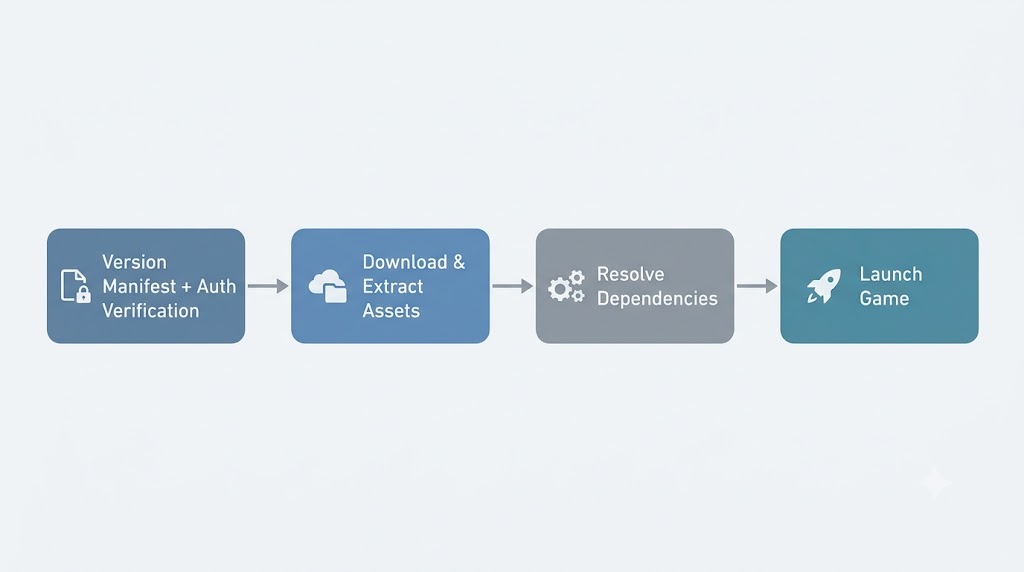
The actual pipeline
Here's the order it really happens in, end to end:
- Version manifest + auth verification — pull the right manifest for the target version and confirm the Microsoft/Minecraft account session is valid before touching disk
- Download and extract assets — pull libraries, natives, and the shared asset index, then extract natives per OS
- Resolve dependencies — work out the full Forge/Fabric/vanilla dependency graph so nothing's missing at launch
- Launch — build the JVM args and hand off to the actual game process
Doing auth verification up front, alongside the manifest fetch, means you fail fast before wasting time downloading gigabytes of assets for a session that was never going to work anyway.
Auth: leaning on msmc
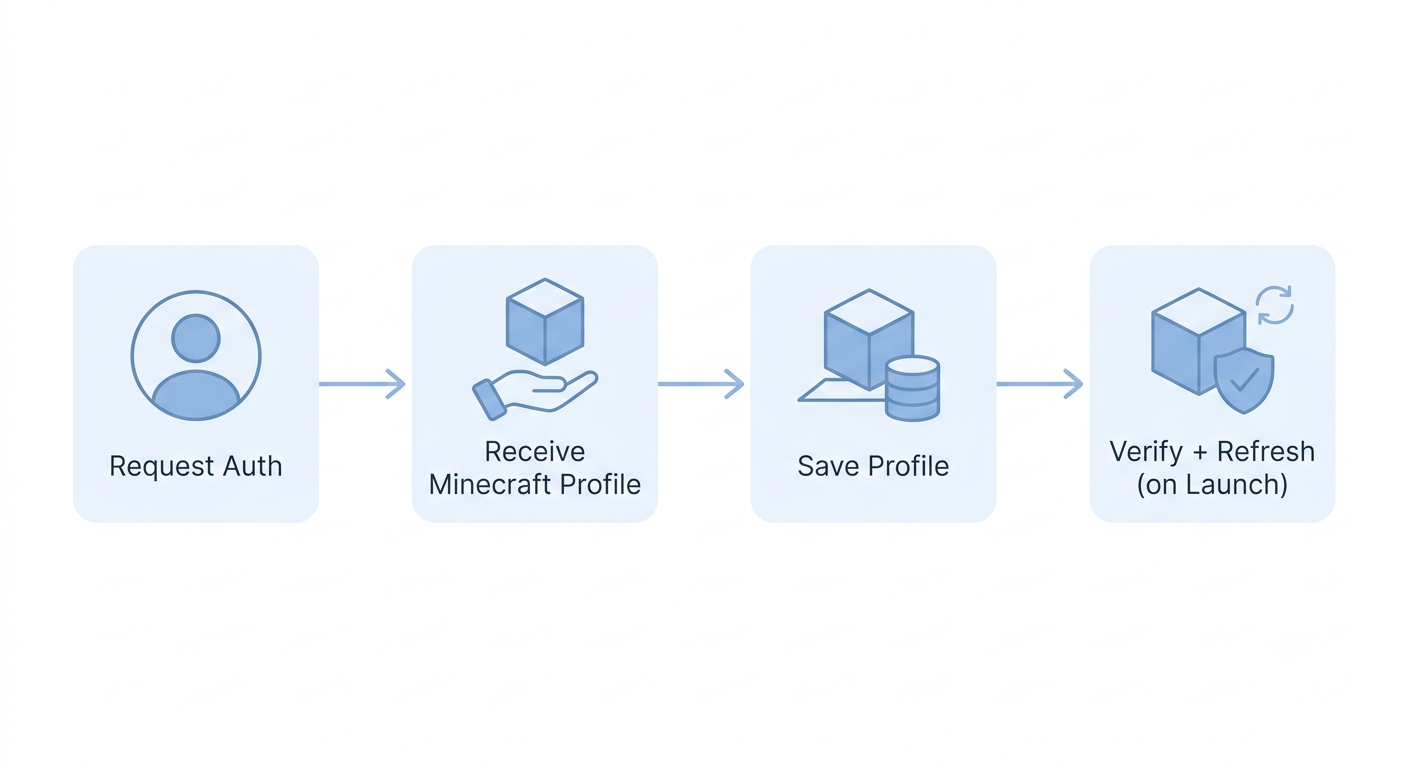
For the Microsoft/Minecraft auth side, I don't reinvent that wheel — msmc handles the whole login dance. The flow is actually pretty simple: request auth for the user, msmc hands back their Minecraft profile, and that profile gets saved for later. The verification only happens when it actually matters — right before launch, WinterCore checks the saved profile and refreshes it if needed, which sidesteps stale or expired token issues without forcing a fresh login every single time someone hits play.
Infrastructure, not a product
The goal was never to build "the" launcher. It's infrastructure — so if you want to build MultiMC-style profile management or something completely different on top, you're not starting from a blank reverse-engineering project.